

Currently Empty: 0.00 €
Module 3 Lab 1 – CLICK configuration
Configuring a static management address for a switch is a common procedure for any network administrator. It is important to carefully assign IP addresses to devices to ensure proper control. This can be done using the CLI CLICK interface, which allows easy management of the switch configuration.
- Step 1: Log in to the device and check the current management ip address assigned by DHCP.
In the first step, we need to log in to the device using the default credentials and list the IP addresses of all interfaces. The management interface is eth0.
- Step 2: Change the ip address of the management interface and save the configuration.
In the second step, change the default IP address of the management interface to 192.168.1.20 and save the configuration to avoid losing it.
- Step 3: Verify the correctness of the exercise.
In step 3, reboot the device and check the ip addresses of the interfaces to confirm that the exercise was done correctly.
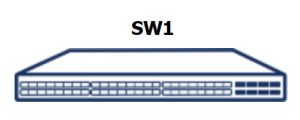
- Default credentials: admin / YourPaSsWoRd
- The name of the management interface is eth0
The purpose of the lab is to practice the basic commands for listing user accounts and changing their passwords.
Step 1: Log in to the device and check the current management ip address assigned by DHCP.
1. Debian GNU/Linux 10 sonic ttyS0
2.
3. sonic login: admin
4. Password:
5. Last login: Wed Sep 27 10:49:12 CEST 2023 on ttyS0
6. Linux sonic 5.10.0–8–2–amd64 #1 SMP Debian 5.10.46-5 (2021-09-23) x86_64
7. You are on
8. ____ ___ _ _ _ ____
9. / ___| / _ \| \ | (_)/ ___|
10. \___ \| | | | \| | | |
11. ___) | |_| | |\ | | |___
12. |____/ \___/|_| \_|_|\____|
13.
14. — Software for Open Networking in the Cloud —
15.
16. Unauthorized access and/or use are prohibited.
17. All access and/or use are subject to monitoring.
18.
19. Help: http://azure.github.io/SONiC/
20.
21. admin@sonic:~$ show ip interfaces
22. Interface IPv4 address/mask Master Admin/Oper BGP Neighbor Neighbor IP Flags
23. ———– ——————- ——– ———— ————– ————- ——-
24. docker0 240.127.1.1/24 up/down N/A N/A
25. eth0 192.168.1.84/24 up/up N/A N/A
26. lo 127.0.0.1/8 up/up N/A N/A
27. admin@sonic:~$
Step 2: Change the ip address of the management interface and save the configuration.
1. admin@sonic:~$ show ip interfaces
2. Interface IPv4 address/mask Master Admin/Oper BGP Neighbor Neighbor IP Flags
3. ———– ——————- ——– ———— ————– ————- ——-
4. docker0 240.127.1.1/24 up/down N/A N/A
5. eth0 192.168.1.84/24 up/up N/A N/A
6. lo 127.0.0.1/8 up/up N/A N/A
7. admin@sonic:~$ ^C
8. admin@sonic:~$ sudo config interface ip add eth0 192.168.1.20/24
9. admin@sonic:~$ sudo config save –y
10. Running command: /usr/local/bin/sonic–cfggen –d —print–data > /run/tmp6p83ldpx
11. Running command: mv –f /run/tmp6p83ldpx /etc/sonic/config_db.json
12. Running command: sync;sync;sync
13. 41416 Bytes written
14. admin@sonic:~$
Step 3: Verify the correctness of the exercise.
1. admin@sonic:~$ sudo reboot
2. Config Down success!
3. supervisor–proc–exit–listener: stopped
4. requested COLD shutdown
5. True
6. Debian GNU/Linux 10 sonic ttyS0
7.
8. sonic login: admin
9. Password:
10. Last login: Wed Sep 27 10:51:24 CEST 2023 on ttyS0
11. Linux sonic 5.10.0–8–2–amd64 #1 SMP Debian 5.10.46-5 (2021-09-23) x86_64
12. You are on
13. ____ ___ _ _ _ ____
14. / ___| / _ \| \ | (_)/ ___|
15. \___ \| | | | \| | | |
16. ___) | |_| | |\ | | |___
17. |____/ \___/|_| \_|_|\____|
18.
19. — Software for Open Networking in the Cloud —
20.
21. Unauthorized access and/or use are prohibited.
22. All access and/or use are subject to monitoring.
23.
24. Help: http://azure.github.io/SONiC/
25.
26. admin@sonic:~$ show ip interfaces
27. Interface IPv4 address/mask Master Admin/Oper BGP Neighbor Neighbor IP Flags
28. ———– ——————- ——– ———— ————– ————- ——-
29. docker0 240.127.1.1/24 up/down N/A N/A
30. eth0 192.168.1.20/24 up/up N/A N/A
31. lo 127.0.0.1/8 up/up N/A N/A
32. admin@sonic:~$