
Enterprise SONiC Administration Course
New editionUnderstand SONiC.
Build your
next capability.
Connect the architecture, the configuration and the checks that tell you what’s really happening. Learn with Volker Scheel, one step at a time.
54
video lessons
9
modules
22
hands-on labs
700 € per seat · Video lessons · Certificate · Private community

Learn with Volker Scheel
28+ years in network engineering · 1600+ engineers trained
From information to understanding
A command is useful.
Knowing why is powerful.
Documentation answers individual questions. A connected course helps you build the picture: what to configure, what to verify and where to look next.
01 / Understand
See how the system fits together.
Connect SONiC architecture with interfaces, services and network behaviour.
02 / Configure
Make informed configuration choices.
Follow a structured route through setup, switching, routing, redundancy and automation.
03 / Verify
Know what to check next.
Use operational checks, counters and diagnostic tools to investigate unexpected behaviour.
SONiC momentum is now
The network operating system
the industry is standardising on
SONiC breaks vendor lock-in with an open-source network OS across multiple hardware vendors. Created by Microsoft and backed by the Linux Foundation, it is expanding from cloud giants into enterprise networks.
SONiC data-center switching market
$9B+
projected by 2028
Successive 650 Group forecasts keep revising the SONiC switching market upward — each report raises its own terminal-year number.
Each bar is the terminal-year forecast from a separate 650 Group SONiC market report — a record of upward revisions, not a single growth curve. Third-party projections, not measured results.
Enterprise adoption
10% by 2027
SONiC adoption among enterprises operating large data-centre networks (250+ switches) is forecast to double, reaching 10% by 2027.
Beyond the hyperscalers
Tier-2 & enterprise
SONiC’s role beyond hyperscalers is expected to grow significantly, increasing demand for enterprise network administration skills.
Hardware freedom
One NOS, many vendors
Switches from multiple vendors and chipsets run the same core software, so operators can mix and match hardware instead of buying a NOS with the box.
Your Enterprise SONiC learning path
A solid foundation.
Room to go further.
Start with administration of Enterprise SONiC Distribution by Broadcom. Build the context for your next step as the training path grows.
Stage 01
New edition
Foundation
Enterprise SONiC Administration
A complete self-paced course connecting first access with routing, automation, troubleshooting, VXLAN EVPN and campus networking.
54 video lessons
9 modules
9 assessments
See the course page for the current price and access details.
The next stage
In development
Expert
Continue building your SONiC expertise.
We're developing the Expert stage of the Enterprise SONiC learning path. The programme and enrollment details will be announced here when they are ready.
Build your foundation now.
Return here for the next stage.
Expert is a future course. It is not included in Foundation access.
One distribution · a broad hardware ecosystem
One SONiC foundation.
More hardware choice.
Your skills can travel across supported platforms. Learn a common approach to Enterprise SONiC by Broadcom administration, with hardware options from multiple manufacturers.
Edgecore
Celestica
Dell Technologies
Micas
QCT
UfiSpace
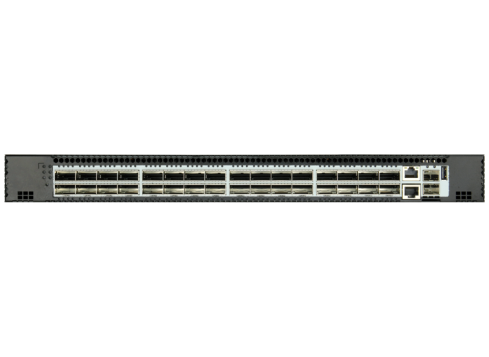
Edgecore Networks
AS7726-32X
32 × 100G QSFP28 · platform example
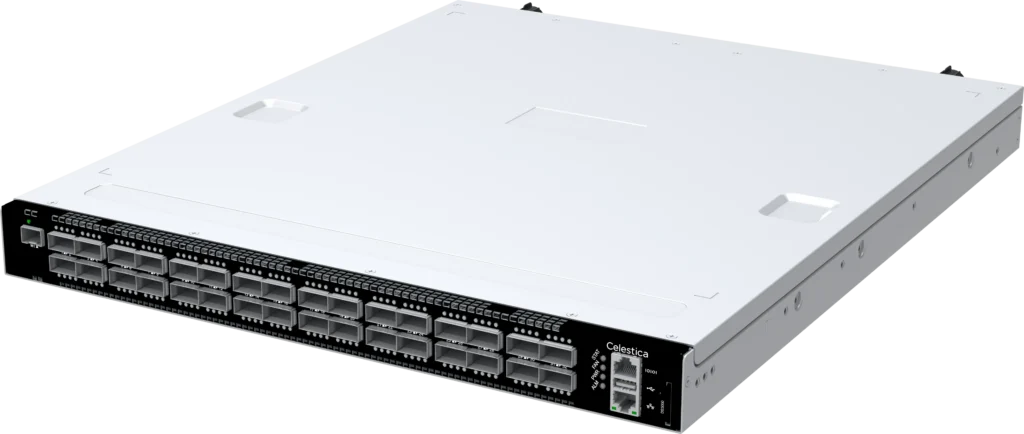
Celestica
DS3000
32 × 100G QSFP28 · platform example
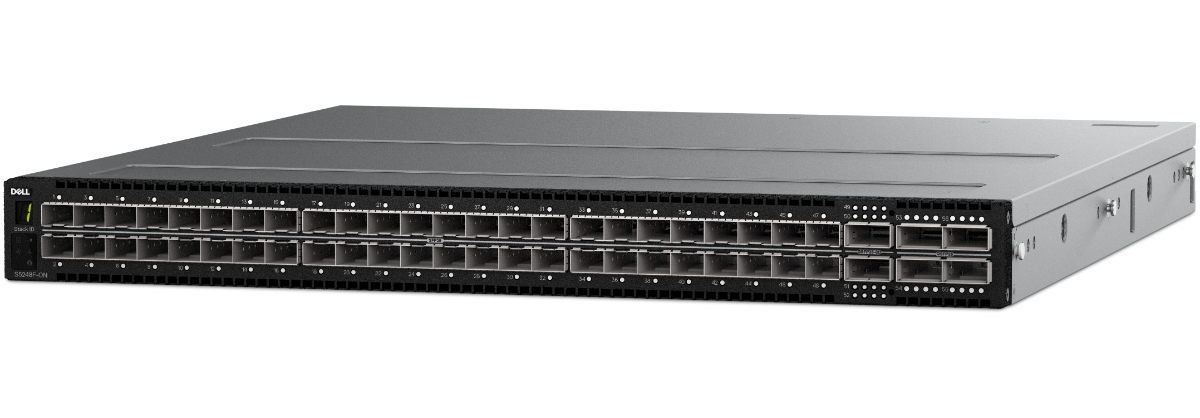
Dell Technologies
S5248F-ON
48 × 25G, 4 × 100G · platform example
Learn the operating system. Understand the platform differences.
The course develops configuration, verification and troubleshooting skills for the Broadcom distribution's supported ecosystem. Qualification and feature availability depend on the model, software package and release.
View the current HCL ↗Platform examples do not mean every model is demonstrated in the course. Switch hardware and lab access are not included.
Enterprise SONiC Administration · Curriculum
From first access
to modern fabrics
Nine modules, 54 lessons, one assessment per module. Open a module to see what you learn and the hands-on lab that goes with it.
M1 SONiC Introduction
- What is SONiC - history of SONiC, benefits (open, modular, scalable), community vs. Enterprise SONiC
- SONiC building blocks - Debian Linux, Docker containers, Redis databases, the Switch Abstraction Interface (SAI) and Linux networking projects
- SONiC architecture - architecture overview, the containers and their tasks: database, SwSS, syncd, BGP, teamd, management framework and more
M2 Installation & Initial Setup
- Accessing the switch - physical connections (console port, management port) and credentials to access the switch in ONIE and SONiC
- Installation - the ONIE bootloader, manual and automated installation with ONIE discovery and a DHCP server, licensing, upgrading with the installer or a fresh install with ONIE
- Booting and switch management - booting up and following the progress in Click or Klish, management VRF, hostname, name servers, configuring and verifying NTP
- Users - user accounts and privilege levels, displaying and managing local users, remote authentication with TACACS+ and RADIUS servers
- Zero Touch Provisioning (ZTP) - pulling ZTP information, identifying the switch, objects in the ZTP JSON file, displaying ZTP status
M3 Configuration Methods
- Configuration methods - default CLI (Click), FRR shell, management framework and Klish; the outcome is the same, independent of the access method
- Klish, the management framework CLI - exec and configuration modes, sub-modes, autocomplete, filtering output, displaying configuration, transactions, commit timeout and checkpoints
- Interface configuration - numbering front-panel ports, basic switch ports, breakout ports, port groups, interface ranges, port channels (LAG) and monitoring interface status
- VLAN configuration - creating VLANs, configuring Layer 2 ports and VLAN membership, VLAN autostate, verifying VLAN configuration
- NewLayer 3 interfaces - VRF assignment, primary and secondary IPv4 addresses, IPv6 addresses and verification
M4 Layer 2 & Layer 3 Redundancy
- Spanning Tree Protocol (STP) - placement of the root bridge, bridge priority, port cost and priority, edge ports, BPDU guard and BPDU filter, verifying STP
- Multi-Chassis Link Aggregation (MC-LAG) - LAG and MC-LAG, MC-LAG topologies, creating an MC-LAG domain, adding ports, monitoring, MC-LAG and Layer 3
- Virtual Router Redundancy Protocol (VRRP) - redundancy for the default gateway, principle of operation, electing the master router, preemption, interface tracking, verification and load sharing
- Static Anycast Gateway (SAG) - configuring the anycast address on the desired VLAN and SAG verification
- Example use case - redundant Layer 2 connection with a redundant Layer 3 gateway: requirements, topology, configuration, verification and failover
M5 Routing Protocols in SONiC
- Introduction to routing protocols - the role of routing protocols, redundancy inside a Layer 3 network, supported protocols, the SONiC routing architecture and hardware resource scaling
- BGP - intro and configuration example - configuring the BGP router, neighbors and peer groups, address families, advertising local networks
- Routing information display for BGP - monitoring session states and neighbor information, equal-cost multipath, hard and soft reset
- OSPF - intro and configuration example - configuring the OSPF router, areas and stub areas, enabling OSPF on interfaces
- Routing information display for OSPF - displaying process, area, interface, neighbor and database information
- NewOSPFv3 - OSPFv3 for IPv6 routing
- Static routes - configuring static routes, blackhole routes and floating static routes
- Displaying and influencing the routing table - routing table display and statistics, selecting routes, default administrative distances
- BFD - improving routing protocol convergence with BFD, checking BFD status
- DHCP relay - configuring DHCP relay, DHCP relay and SAG, distinguishing relay switches, displaying DHCP relay details and statistics
M6 Automation for SONiC
- Introduction to automation in SONiC - use cases for automation (initial deployment, management, maintenance, monitoring), what automation does not cover, options for automation in SONiC
- Automation with Ansible - Ansible concepts, inventory and playbooks, prerequisites (control node, SONiC modules, preparing switches), network resource modules for deploying configuration, retrieving switch state
- Automation with RESTCONF - RESTCONF and the YANG model, identifying resources, requests and responses, authentication with password, JWT or certificates, deploying configuration and retrieving information
- Automation with gNMI - commonalities and differences with RESTCONF
M7 Troubleshooting SONiC
- Troubleshooting overview - common problem sources, strategies to identify problems, using show commands vs. checking configuration, looking at all layers, ruling out the most likely cause first
- Troubleshooting interface problems - verifying interface status (speed, FEC, autoneg, oper and admin state), reasons for oper state not up, interface details, transceiver information, validating the cabling
- Traffic information - counters, Telemetry and Monitoring (TAM), sFlow
- Analysing packet drops - configuring drop counters, Mirror on Drop
- Traffic mirroring - SPAN, ERSPAN, flow-based mirroring, recording traffic locally with tcpdump
- Switch information - information about hardware and software, environmental information, monitoring the switch with SNMP
- Debugging on the switch - local and remote logging, reboot reason, examining memory usage, debugging specific functions, using core and kernel dumps
- Tech support files - generating tech support information, useful options, directory structure of the tech support tarball
M8 VXLAN, EVPN & DCI
- Introduction to VXLAN - virtualization of networks, underlay and overlay, creating the underlay network, creating a VTEP, connecting the overlay with tunnels between VTEPs
- Layer 2 VPNs - Layer 2 VPN basics, ARP/ND suppression, leaving the VPN, distributed routing
- NewRedundant host connections - MC-LAG with logical VTEP, EVPN multihoming, comparing the options, Ethernet Segment Identifier (ESI), configuring the Ethernet segment, designated forwarder
- Layer 3 VPNs - VRFs, configuring routing in a VRF, setting up a Layer 3 VPN, asymmetric IRB, symmetric IRB, comparing the IRB methods
- EVPN - how EVPN works, EVPN switch roles and tasks, configuring EVPN, Layer 3 VPN configuration in EVPN, sample Layer 2 and Layer 3 VPN configuration
- Monitoring VXLAN and EVPN - local VTEP information, EVPN summary, active VXLAN tunnels, tunnel counters, VNI mappings, details about Layer 2 and Layer 3 VPNs
- Datacenter Interconnect (DCI) - flavors and benefits of DCI, multi-pod and multi-fabric DCI, multi-site DCI, split horizon, multi-site DCI configuration and verification
M9 Campus Access & Security
- Power over Ethernet - supported power classes, configuration, monitoring
- LLDP-MED - power negotiation, providing voice VLAN information
- Port access control - overview, 802.1x and MAC Authentication Bypass, host modes, assigned and special VLANs, dynamic ACLs, configuration and verification
- IP Helper - configuration, validation
- Port security - configuration, validation
- DHCP snooping - configuration, validation
- Filter traffic with access control lists (ACLs) - types of ACLs, configuration, securing the switch: control-plane ACLs, using ACL counters, monitoring
Try before you enroll
Free demo
Watch a demo lesson
See how Volker teaches before you enroll. Watch a full lesson from the course, no sign-up needed.
Full lesson
No sign-up
Any device

Demo lesson
Enterprise SONiC Administration

Your instructor
Volker Scheel
Network engineering · route2open · STORDIS Group
More than 28 years of network engineering experience, including roles at AT&T and STORDIS. Volker teaches as an engineer who has designed, built and operated enterprise networks.
Across the course he connects technical concepts with configuration choices and operational checks — so you learn not only the command, but when and why to use it.
28+
years in networking
1600+
engineers trained
2022
teaching SONiC since
More than a video library
Learn. Check your understanding.
Keep the conversation going.
A structured course, a way to recognise your achievement and a private space to exchange experience.
01
Your learning,
at your pace.
Work through 54 video lessons across nine modules. Pause, revisit a topic and use each module assessment to identify what to review.
Watch
Review
Assess
02
Recognition
for your progress.
Complete the required lessons and pass all nine module assessments to earn your route2open Certificate of Achievement.
Certificate of Achievement
Enterprise SONiC Administration
An independent route2open course certificate.
03
A community
to learn with.
Join a private learner community to ask questions, discuss course topics and exchange experience, with participation from Volker and the route2open team.
Questions
Experience
Discussion
Community discussion is part of course access. Scheduled live tuition and individual consultations are separate.
Is Foundation right for you?
You know networking.
Now get to know SONiC.
For network engineers, administrators, architects and support teams evaluating or working with Enterprise SONiC.
Bring familiarity with Ethernet, IP addressing, VLANs, basic routing and a command-line interface. Prior SONiC experience is not required.
Moving to open networking?
Understand the system behind the switch before building your next configuration.
Working with Enterprise SONiC?
Connect what you already know with a structured view of administration and troubleshooting.
Building a team's knowledge?
Give colleagues a shared technical foundation and a common language for operational discussions.
Prefer a live deep dive?
Take the bootcamp route.
Four days. Six hours per day. Live, remote instructor-led SONiC training with hands-on labs.
Why this course
Build confidence in SONiC.
Before production.
Expert guidance
Learn with Volker Scheel, drawing on more than 28 years in network engineering to connect theory with everyday operations.
Hands-on labs
Configure, verify and troubleshoot SONiC through optional hands-on labs, building confidence with every task. Lab access is available separately.
SONiC community
Ask questions, share experience and keep learning alongside fellow learners, Volker and the route2open team in a private community.
Your certificate
Complete the required lessons and pass all nine module assessments to earn your independent route2open Certificate of Achievement.
New edition
New edition. More to learn.
All 54 lessons newly recorded, with refreshed visuals and added lessons on Layer 3 Interfaces and OSPFv3. Existing learners receive access to the updated course and private learner community.
Hands-on labs
A lab for every module,
from Module 2 onward
Watch the lessons, then practise them. Every module from 2 to 9 has its own pre-configured virtual lab, bookable around your schedule, with hints and model answers at every step. No switch of your own required.
Modules 2–9
Pre-configured topologies
Hints and model answers
No switch needed
How lab access works
1
Work through a module
Start the course and complete a module — labs follow each one from Module 2 onward.
2
Book a session
Choose the module lab and the time slot that fits your schedule.
3
Join and practise
Work through the scenarios on a ready-built SONiC topology, at your own speed.
New Learning Room
See what’s inside
your network.
Open a switch. Walk through the lab. Explore optics, racks and Wi-Fi, then try a guided SONiC exercise.
- Switches
- Optics
- Wi-Fi
- SONiC
Preview here. Sign in or create an account to explore.
 Learning Room / Inside the lab
A real look inside Interactive 3D learning
What the tech pros say
Engineers who learned SONiC
with Volker already
Feedback from participants in route2open's instructor-led Enterprise SONiC bootcamp.
“This was a well-run, interesting, and relevant training. The duration was excellent, keeping everybody engaged.”
Adrian Frias Geminiano
Consulting Engineer
“Excellent balance between theory and hands-on labs, with real-world scenarios that made it easy to gain practical experience with SONiC.”
Carlos Rojas
Network Engineer
“It helped me truly understand how SONiC is structured and operates behind the scenes. The hands-on labs were exceptionally well designed, guiding us through configurations at all levels right up to advanced topics like VXLAN and EVPN.”
Daro Karim
Open Networking Solutions Consultant, Pine Networks
“The course was well prepared, engaging and definitely met the goal. Also the labs were great — theory, then practical realistic exercises; that’s the way to learn.”
Martin Hayes
CTO, STORDIS GmbH
Enroll
Start the Enterprise SONiC Administration
Foundation stage
New edition
Enterprise SONiC Administration
Self-paced video course with Volker Scheel. One purchase, the complete nine-module path.
700 €
per seat
54 self-paced video lessons, nine modules
Certificate of Achievement on completion
Private learner community access
New-edition recordings and refreshed visuals
For teams
Train the whole NOC together
A shared technical foundation and a common language for operational discussions. Ask us about group access and invoicing.
Request team pricingPrefer live tuition?
Take the bootcamp route
Four days, six hours per day. Live remote instructor-led SONiC training with hands-on labs — a separate training option.
Explore bootcampsFAQ
Questions before you enroll
Which SONiC does this course teach?
Enterprise SONiC Distribution by Broadcom. The course focuses on administration of this distribution; it does not promise identical commands or behaviour across every SONiC distribution.
Does it apply to different hardware vendors?
Yes. It develops a common approach to administration across the Broadcom distribution's supported ecosystem. Check the current HCL ↗ for your exact model — qualification and features depend on platform, software package and release.
Do I need a switch or a lab?
No physical switch is required to complete the video course and its assessments. If you want to practise, pre-configured virtual labs are available for every module from 2 to 9 — book a session on the training platform. Labs are a separate offer and are not required for the certificate.
Is this live training?
It is a self-paced video course. The private community supports discussion; scheduled live sessions and individual consultations are not included. For live training with labs, see the bootcamp option.
What changed in the new edition?
Every lesson has been recorded again, with refreshed visuals and selected content updates. Layer 3 Interfaces and OSPFv3 are two added technical lessons.
How do I earn the certificate?
Complete the required lessons and pass all nine module assessments to receive your independent route2open Certificate of Achievement.
I own the previous edition — do I buy again?
No. Existing learners receive access to the refreshed course and the private community. We'll explain how existing progress and historical certificates are handled before the update goes live.
Is there an Expert stage?
The Expert stage of the learning path is in development. Its programme and enrollment details will be announced when ready; it is not included in Foundation access.